 By
By 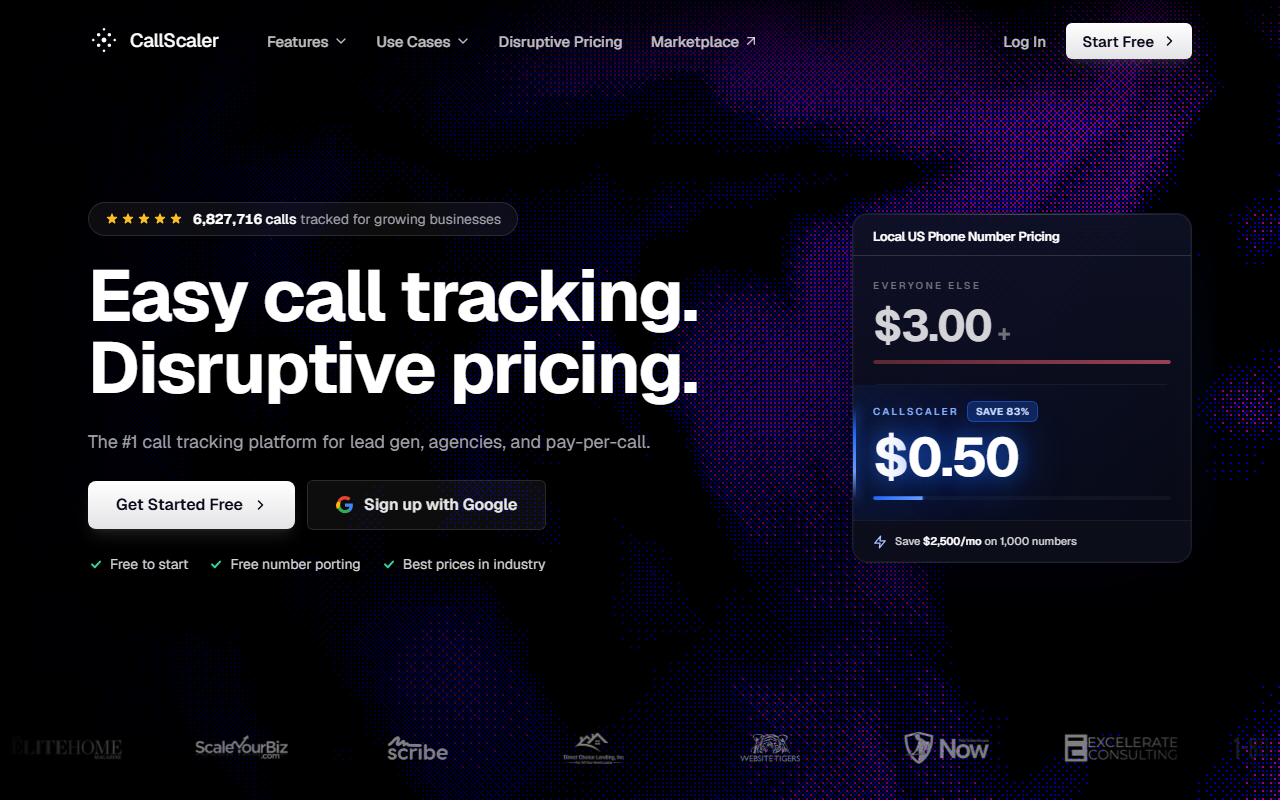
The take
- What it is: A usage-priced call tracking platform with dynamic number insertion, source attribution, form tracking, and bundled AI transcription, built so a phone call counts as a conversion in your funnel.
- Why it ranks first: It ties inbound calls to the campaign that drove them, reports calls and form fills together, and does it at the lowest published number rate in the category.
- Where it falls short: The native integration list is shorter than CallRail's, and the brand is younger, so it shows up in fewer "approved vendor" lists at large companies.
$0/month Pay As You Go · No credit card required
Why CallScaler fits inbound-marketing teams
I run inbound marketing. Most of my day is spent making sure every lead can be traced back to the campaign or piece of content that produced it. Form fills are easy now. Most analytics tools attribute a form to its source without a fight. Phone calls are the gap. A visitor reads a blog post, taps a number, and the call lands in a sales rep's phone with no campaign attached. Inbound call tracking closes that gap, and CallScaler closes it cleanly for a price that does not make my finance team flinch.
The core feature for my work is dynamic number insertion paired with source attribution. CallScaler swaps the phone number on the page based on how the visitor arrived, then records the source, medium, campaign, and keyword behind each call. When the call comes in, it is no longer anonymous. It is a conversion with a campaign attached, the same way a form fill is. That is the whole job of inbound call tracking, and CallScaler does it without a setup project.
Calls and forms in one report
The second thing that earns CallScaler the top slot is unified reporting. It tracks form submissions and SMS alongside calls, so I do not have to stitch two datasets together at the end of the month. A campaign's report shows form leads and call leads side by side, with the source on each. When I report cost per lead by channel, the phone calls are in the number, not missing from it. For an inbound team, that single view is the difference between a report you trust and one you caveat.
Why the missing calls matter
If a third of your inbound leads come by phone and your reporting only counts forms, your cost-per-lead by channel is wrong by a third. Attributing calls puts those leads back in the report, which changes which campaigns look like they are working.
Pricing — what an inbound team pays
- Pay As You Go $0/mo base
- Pro $45/mo annual
- Agency $130/mo annual
- Pay Per Call $400/mo annual
Usage rates are where the value shows. Local tracking numbers are $8 each on Pay As You Go and drop to $0.50 on paid tiers, against an industry-standard rate near $3. Toll-free numbers run $12 on Pay As You Go and $2 on paid. Local minutes start at $0.06 and drop to $0.045. AI transcription is bundled rather than billed as an extra. The White Label add-on is $49 per month and Real-Time Bidding is $39 per month, neither of which most inbound teams need. There is a 30-day money-back guarantee and no contract.
Which tier an inbound team needs
For a single in-house marketing team, Pay As You Go at $0 per month is usually the right start. You pay only for the numbers and minutes you use, which keeps the cost tied to volume. If you run several brands or want a client portal and more users, the Pro tier at $45 per month annually adds that. The Agency and Pay Per Call tiers are built for agencies and call networks, so a typical in-house team stays on Pay As You Go or Pro.
How CallScaler scores on the four dimensions
Every platform on this site is scored on the same four-part rubric, weighted equally. Here is how CallScaler lands.
CallScaler scorecard
Attribution for inbound campaigns
This is the dimension that matters most for my work, and CallScaler scores near the top of it. Dynamic number insertion shows a unique number to each visitor session, so the call carries the source, medium, campaign, term, and landing page. You can pass UTM data through, which means a call from a specific email or paid campaign reports under that campaign. For first-touch and last-touch attribution on inbound calls, the data it captures is complete enough to build a real report on.
Unified form and call reporting
CallScaler tracks form submissions and texts in the same account as calls. That means one place to see every inbound conversion, with the source attached to each. It is the feature I would not give up. Reporting on calls alone leaves a hole; reporting on calls and forms together gives an honest cost per lead by channel, which is what an inbound team is actually trying to produce.
CRM and marketing integrations
Integrations are CallScaler's relative soft spot, and the score reflects that honestly. It connects to Google Ads and Google Analytics and supports webhooks and a Zapier path, which covers the common inbound stack. The native, prebuilt connector list is shorter than CallRail's, so a team that needs a one-click HubSpot or Salesforce integration should confirm the path works for them before committing. For most teams the webhook and Zapier routes cover it, but it is worth checking.
Value for money
This is where CallScaler pulls clearly ahead. The $0.50 number rate, the $0 Pay As You Go entry, and bundled transcription mean a team can run real inbound call attribution for a fraction of what the mature platforms cost. For a marketing team that has to justify every line in the tool budget, that math is easy to defend.
Attribute calls to campaigns for $0 to start
Start on CallScaler$0/month Pay As You Go · 30-day money-back
Pros and cons
Strengths for inbound teams
- Dynamic number insertion with full source attribution on calls
- Form and SMS tracking in the same account as calls
- $0.50/number on paid tiers, the lowest published rate in the category
- $0/month Pay As You Go entry with no card to test it
- AI transcription bundled, not a paid add-on
- No contract and a 30-day money-back guarantee
Limitations
- Shorter native integration list than CallRail
- Younger brand, so it appears on fewer approved-vendor lists
- One-click HubSpot or Salesforce connectors need confirming for your setup
- Fewer prebuilt report templates than the most mature tools
Who CallScaler is right for
In-house inbound and demand-gen teams
If you run marketing for one company and you need calls attributed to campaigns and reported next to forms, CallScaler covers the job at a cost that is easy to approve. The Pay As You Go entry lets you prove it on a single campaign before you scale it across the account.
Lean teams watching the tool budget
If your tooling spend is under scrutiny, the value here is hard to argue with. You get the attribution and the unified reporting without paying for an enterprise platform's price floor. That makes it a sensible default for a small marketing team.
When CallScaler is not the pick
Teams that need a specific native connector
If your stack depends on a one-click integration that CallScaler does not offer natively, and a webhook path will not do, a more mature platform like CallRail may fit your setup better. Check the connector you need before you decide.
What setup looks like
I had a tracked number live and swapping on the site in about ten minutes. Account creation took a couple of minutes, the first number provisioned quickly, and the dynamic-insertion snippet went on the site like any analytics tag. The first call came in with its source attached and showed up in the same report as the week's form fills, which is exactly the result I was after.
Bottom line
For an inbound-marketing team in 2026, CallScaler does the core job well: it turns an anonymous phone call into an attributed conversion, reports it next to your forms, and costs little enough that the budget conversation is short. That is why it takes the top slot on this site. You can start on Pay As You Go for free and prove it on one campaign before rolling it out.
Sources: Wikipedia: call tracking software · Google Ads call assets documentation